
iLogic vs. Inventor API for Drawing Automation: Know the Difference
Drawing automation in Autodesk Inventor can save significant time, but only if you reach for the right tool. iLogic snippets are a great starting point: accessible, quick to write, and capable of handling a solid portion of the drawing workflow. However, iLogic has real limits, and hitting one mid-project can stop your automation cold.
This article lists exactly what iLogic can and cannot do in the drawing automation process. Keep in mind: discovering an iLogic limitation does not mean you are stuck. The Inventor API can perform almost everything you can do through the user interface.
Key principle: iLogic is an Inventor add-in built on top of the Inventor API. Whatever you can do with iLogic, you can also do with the Inventor API plus much more.
Where iLogic Falls Short: Two Examples
Before the full capability list, here are two concrete situations where you will need to go beyond iLogic.
Example 1 — Overriding a Dimension Text
When a part uses a common radius value, it is common to add the suffix TYP (meaning typical). iLogic can place the radius dimension, but if you need to override the dimension text to read R50 TYP instead of just R50, you need to use the Inventor API to get that result.
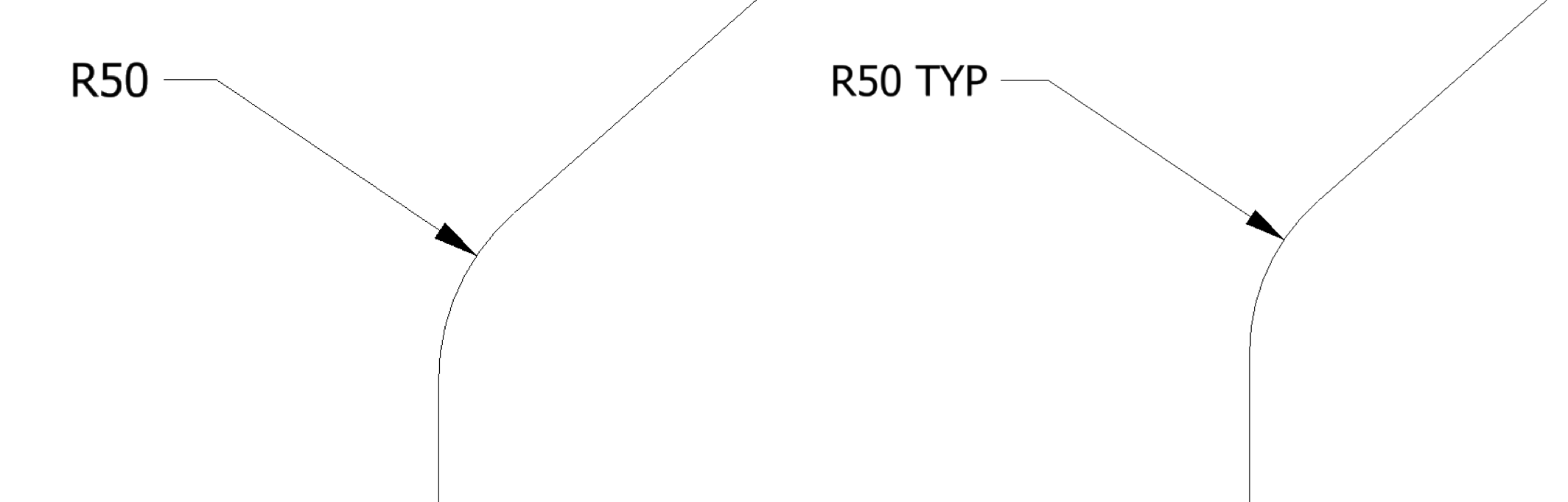
Image 1 – Default and modified radius values
Example 2 — Automated Centerlines
iLogic lets you automate the creation of centermarks, centerlines and centered patterns. However, it does not expose the fastest way to place all of them at once: the Automated Centerlines command. This command, available through the user interface, is exposed in the Inventor API as a method of the DrawingView object:
DrawingView.SetAutomatedCenterlineSettings( [AutomatedCenterlineSettings] As Variant )
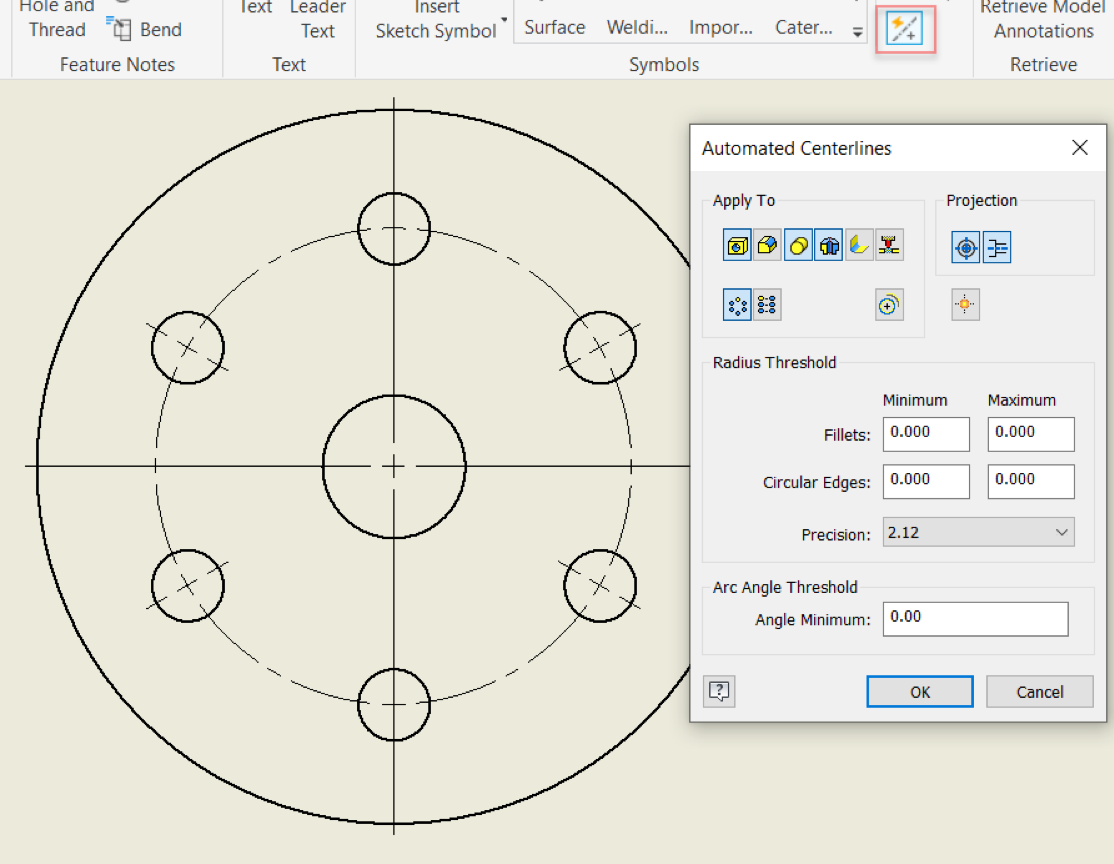
Image 2 – Command Automated Centerlines
There drawing automation process has more steps where iLogic falls short such as creating a drawing from a template, placing drawing views from scratch, or retrieving model annotations. In all these cases, the Inventor API is the solution.
iLogic Capabilities in the Drawing Automation Process
The table below maps the full drawing workflow to what iLogic can and cannot handle. Every gap in the right column can be addressed with the Inventor API.
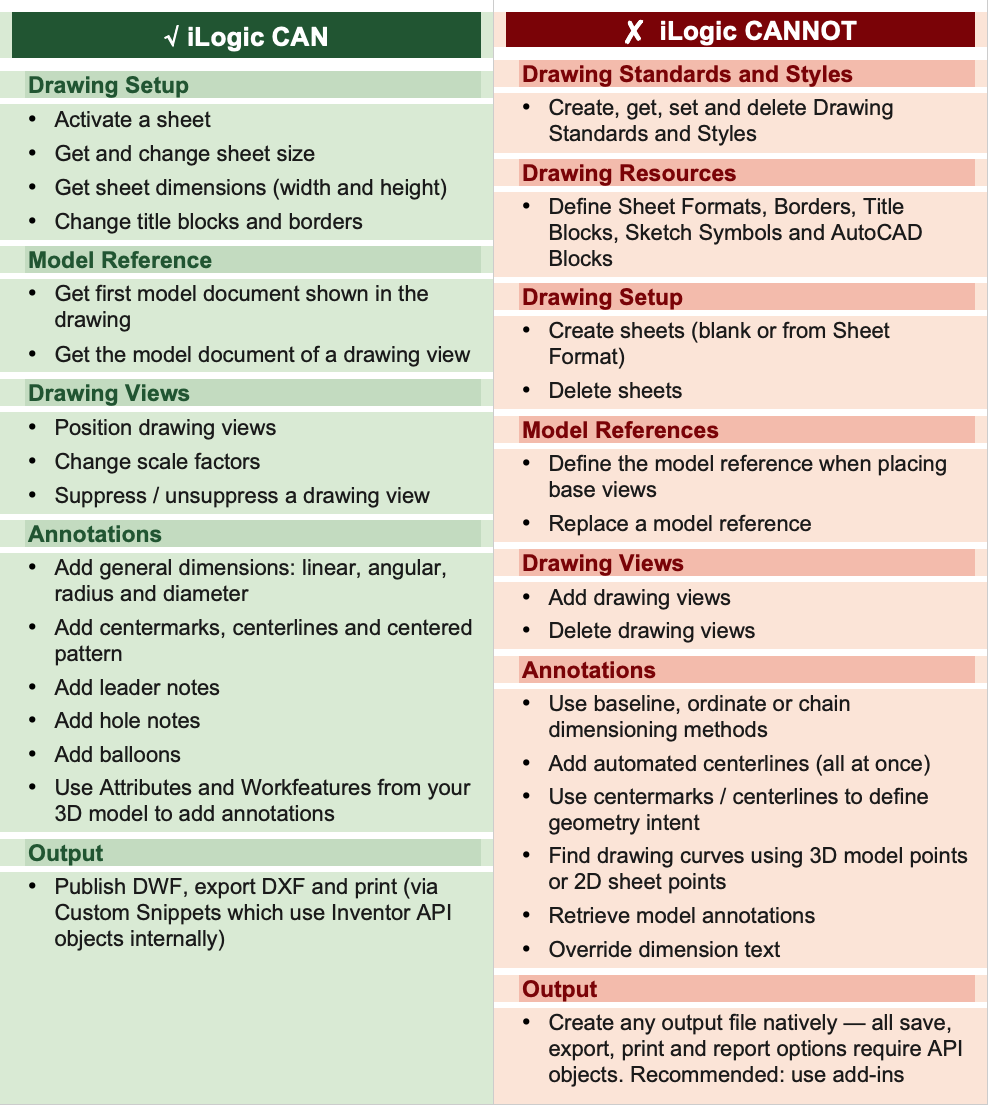
Outputs
All automated outputs (save as, export, print and reports) require Inventor API objects, methods and properties. iLogic custom snippets (from the Custom tab under Snippets) provide codes to publish DWF, export DXF and print documents, but these codes internally use Inventor API objects rather than iLogic libraries. For production workflows, execute these output actions from add-ins.
The Bottom Line
iLogic and the Inventor API are not competing options; they are complementary tools. Use iLogic snippets to move fast on the parts of the workflow it handles well, and reach for the Inventor API whenever you need to go further. Understanding exactly where that boundary sits is what allows you to build drawing automation that is reliable and complete. iLogic is the preferred tool for 3D model configurators, while the Inventor API is the right choice for drawing automation, where iLogic’s limitations are significant.
Whatever you can do with iLogic, the Inventor API can too, and much more. If iLogic cannot do it, the API very likely can.