
Why Drawing Automation Matters in Autodesk Inventor
In many engineering environments, a significant portion of time is still spent creating and updating 2D drawings from 3D models. While Autodesk Inventor provides powerful tools to generate drawings, the process often involves repetitive tasks that engineers perform frequently.
Typical drawing tasks include creating sheets, inserting or swapping borders and title blocks, filling out title block data, placing drawing views, adding annotations, and generating outputs such as PDFs or DXF files. These steps are repeated across many projects and can consume valuable engineering time.
Drawing automation helps address this challenge by allowing organizations to standardize and automate the entire drawing workflow or parts of it. When implemented correctly, automation can save time, improve productivity, increase consistency, standardize processes, and enable scalability across engineering departments.
For companies producing a large number of drawings, automation can significantly improve the efficiency of engineering documentation.
The Opportunity for Automation
A drawing workflow typically includes several stages:
- Creating sheets using company standards
- Completing drawing information such as title block data
- Placing drawing views (base, projected, isometric, sections, details, and more)
- Adding annotations such as dimensions, notes, symbols, and tables
- Exporting outputs such as PDF, DWG, DXF, and generating reports
Many of these steps follow predictable rules and can be automated using tools such as Inventor iLogic or the Inventor API.
Automation allows repetitive work to be handled automatically while engineers focus on design and engineering decisions.
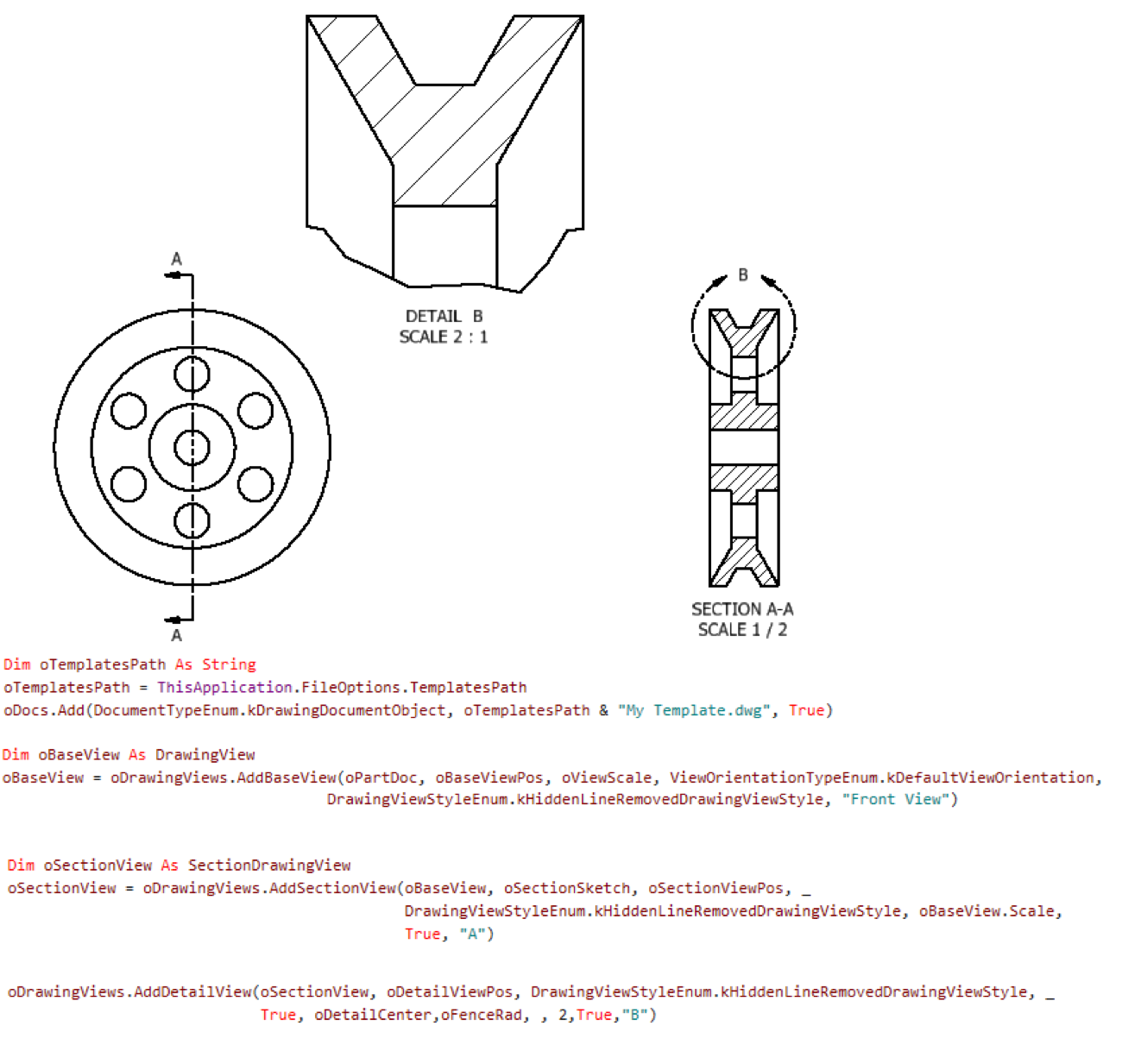
Image 1 – Placing all drawing views automatically
Can a Drawing Be Fully Automated?
Yes. In certain workflows, a drawing can be generated automatically with a single click.
Automation can create:
- Drawing sheets
- Title block information
- Drawing views
- Annotations
- Output files such as PDF or DXF
A fully automated drawing workflow works particularly well for approval drawings or simplified documentation, where the structure of the drawing is predictable.
It can also work very well for catalog-based models, where reference designs are very similar and the variations between models are limited. In these types of product families, the drawing structure usually remains consistent, making them good candidates for full drawing automation.
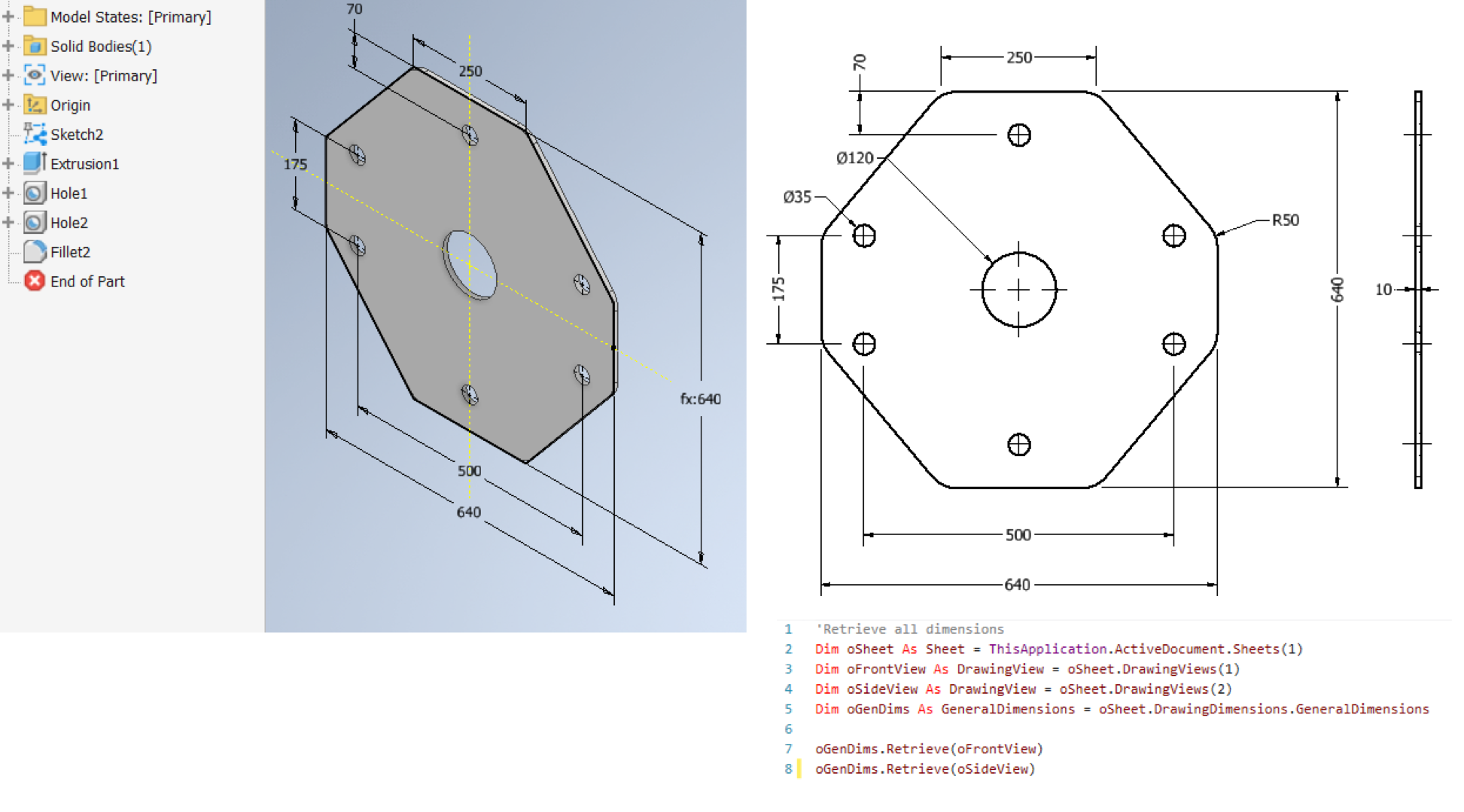
Image 2 – Retrieving all dimensions automatically
In these scenarios, the drawing can be generated automatically with a single click or even without user interaction. This approach is especially useful in environments where CAD systems are integrated with ERP or other engineering systems, allowing drawings to be generated automatically as part of a larger workflow.
When Full Automation May Not Be the Best Approach
Although full automation is technically possible, it is not always the best solution for every type of drawing.
Manufacturing drawings often contain more detailed information, such as:
- Section views
- Detail views
- Different dimensioning methods such as baseline, ordinate, or chain dimension sets
- Welding symbols
- Surface finish symbols
- Leader notes
- Inspection annotations
The exact placement and type of these annotations may vary depending on the design.
Because of this variability, a fully automated drawing may not always produce the best result without some level of user interaction. In these situations, the goal of automation is to reduce repetitive work while allowing the Inventor user to complete the drawing with the necessary technical details.
In addition, although full automation may be technically achievable, the development effort, investment, and project time required to implement a complete automation solution may not always be justified. In these cases, automating key stages of the drawing workflow can provide significant efficiency improvements while keeping the implementation effort reasonable.
Automating the Repetitive Parts of the Workflow
Even when full automation is not the best choice, many parts of the drawing process can still be automated.
Examples include:
- Creating and setting up drawing sheets with standard resources automatically
- Applying company drawing standards
- Renaming and sorting sheets
- Placing the main standard views such as base, projected, and isometric views
- Placing flat pattern views for sheet metal components
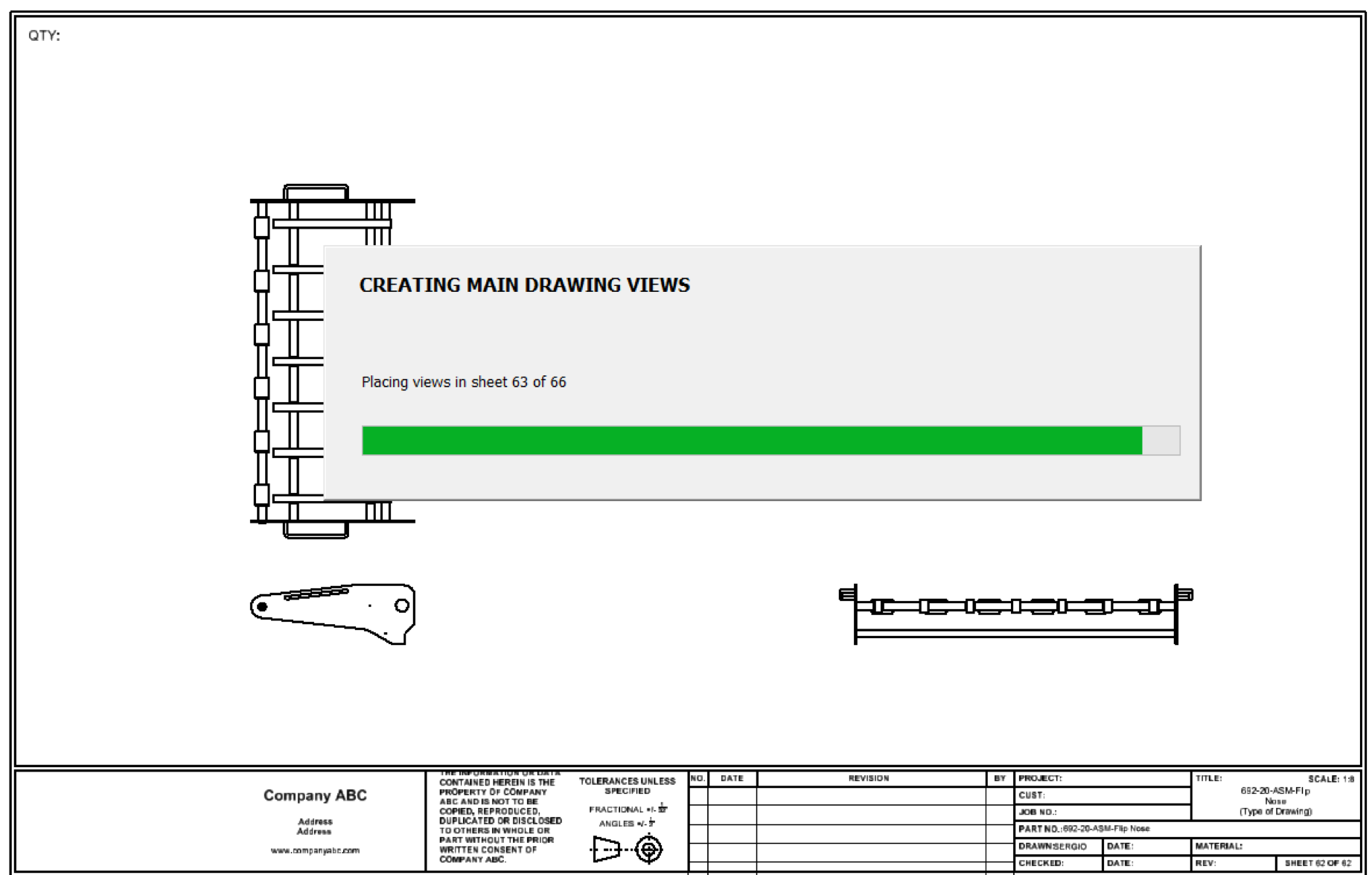
Image 3 – Placing views automatically
Another important area of automation is output generation.
Automation can be used to automatically create:
- PDF drawing packages
- DXF files for manufacturing
- Excel reports
- Batch exports for entire projects
Automating these repetitive tasks can save engineers a significant amount of time while maintaining flexibility for detailed manufacturing documentation.
The Role of iLogic and the Inventor API
Autodesk Inventor provides two powerful technologies for implementing drawing automation: iLogic and the Inventor API.
iLogic provides a user-friendly way to leverage the Inventor API through built-in snippets that help create automation rules directly inside Inventor. It is well suited for automating common and simple drawing tasks, as well as enforcing company standards.
For more advanced workflows, the Inventor API allows developers to build custom automation tools that generate drawings, place any type of annotation, and integrate engineering data with other systems such as ERP or PLM.
By combining iLogic rules with the API, companies can develop automation strategies tailored to their engineering workflows.
Conclusion
Drawing automation in Autodesk Inventor can significantly improve engineering productivity and help standardize documentation processes.
In some situations, drawings can be fully automated and generated with minimal or no user interaction. In other cases, the best approach is to automate key stages of the workflow, such as creating sheets, placing standard views, or generating output files.
The most effective automation strategy depends on the complexity of the drawings and the needs of the engineering team.
Organizations that implement drawing automation can save time, improve consistency, and scale their engineering operations more effectively.
Ready to automate?
At DConsulthink, we specialize in bridging the gap between complex engineering workflows and practical automation solutions. From Inventor iLogic training to custom Autodesk Inventor API development, we help organizations identify the right automation strategy for their business.
Whether you want to train your engineering team to automate drawings and key stages of the documentation workflow, or you need support developing a complete automation solution, we can help.
Contact us today to schedule a workflow and drawing automation assessment.